The best image downloader for download pictures from website.
For Windows 98/Me/NT/2000/2003/XP/Vista/2008/10/11
Home - Picture Downloader Online Tutor - Check Picture Download Progress Next
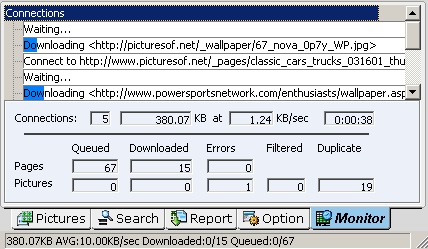
When you downloading, you can click "Monitor" to watch the progress of the download, use this form to check the download speed, total kbytes downloaded, dynamically increase or decrease the number of simultaneous connections and the time.
Also note the queued web pages and pictures, downloaded web pages and pictures, error pages and pictures, the pictures filtered by the picture filter and duplicate pictures reject by PicaLoader, these give you a quick indication of how far your tasks has progressed.