The best image downloader for download pictures from website.
For Windows 98/Me/NT/2000/2003/XP/Vista/2008/10/11
Home - Picture Downloader Online Tutor - Tasks Organize Next
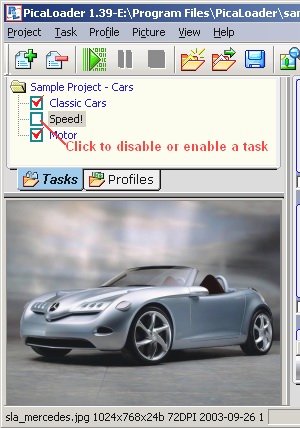
With PicaLoader's Task window, you can organize your task within current project, you can rename, enable or disable your tasks, and you can browse your pictures by task.
If a task is disabled, PicaLoader will not download picture from this task next time.
You can right click on a task and select "Rename task" to give it a new name.
A task is like a folder of Windows Explorer, when you select a task, the browse window will only display pictures belong to this task, but select the task tree's root, the browse window will show you all of the pictures within this project.